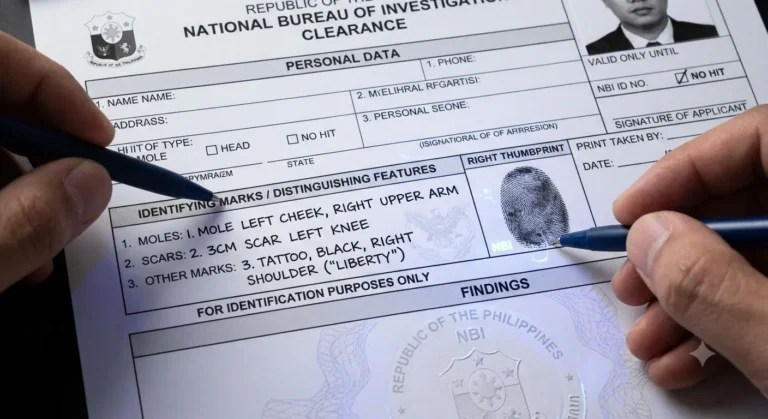
NBI OTP Not Received? Causes and Quick Fixes 2026
Applying for an NBI Clearance in the Philippines is now predominantly digital. Through the official NBI Clearance Online Services portal, applicants can register, set appointment dates, and process renewals from the comfort of their homes.
However, one of the most frustrating bottlenecks applicants face during account creation, login, or password recovery is the NBI OTP not received issue. Without this 6-digit verification security code, your registration remains incomplete, locking you out from scheduling an appointment or securing your clearance for employment, immigration, or travel.
What is the NBI Clearance OTP and Why Is It Mandatory?
The NBI One-Time Password (OTP) is a temporary security code generated by the portal to authenticate the applicant’s identity.
Step 1: Request
User Registers / Logs In on the NBI Portal.
Step 2: Dispatch
NBI Gateway Sends SMS/Email OTP
Step 3: Input
User Enters Code into the portal.
Step 4: Access
Account Verified & Authorized.
The system sends this code either via SMS (to your Philippine mobile number) or Email (to your registered inbox). It serves three main functions:
7 Primary Reasons That Your NBI OTP Not Received
Understanding why the delivery failed saves you from repeatedly hitting the “Resend OTP” button—which can inadvertently trigger rate limits and temporary account lockouts.

Issue Category | Common Cause | Impact |
|---|---|---|
Input Errors | Typo in mobile number or email address | Code sent to invalid or wrong destination |
Carrier Routing | Telco SMS gateway delay (Smart, Globe, DITO) | SMS delayed past expiry window (5–10 mins) |
Spam / Filter Rules | Aggressive email spam filters or junk categorization | Email verification hidden from Primary Inbox |
Network Signal | Poor mobile reception or roaming restrictions | Inability to receive standard cellular SMS |
Number Portability | Mobile Number Portability (MNP) routing glitches | Gateway fails to identify updated carrier route |
Server Traffic | High peak traffic on the NBI portal servers | SMS/Email API queue backlogs |
Device Settings | Built-in spam blocking or third-party filtering apps | Message silently blocked on device |
Step-by-Step Troubleshooting: Fix NBI SMS OTP Issues
If you requested your code via SMS and nothing arrived on your phone, execute the following steps in order:
Verify the Mobile Number Format
A common mistake during registration is adding redundant leading zeroes or the wrong country code. Use 09XXXXXXXXX or +639XXXXXXXXX format (depending on whether the country code dropdown is separated). Ensure there are no spaces, hyphens, or accidental trailing letters.
Check Device Spam and Block Lists
Modern Android and iOS devices feature aggressive built-in spam protection:
Clear Network Cache (Airplane Mode Reset)
Cellular connection handshakes can hang. Toggle Airplane Mode ON for 15 seconds, turn it OFF, and wait for your mobile signal to reconnect to 4G/5G. This forces your carrier tower to re-establish the connection and flush queued SMS messages.
Check for Third-Party Blocker Apps
Apps like Truecaller, Whoscall, or system anti-virus suites often categorize government SMS broadcast shortcodes as automated spam. Temporarily disable SMS filtering permissions for these apps while completing your NBI registration.
How to Fix NBI Email Verification Code Issues
When the portal sends your verification code via email, the issue usually stems from mailbox filters or mailbox routing rules.
1. Check Spam, Junk, and Promotions Folders
Automated emails from .gov.ph domains can occasionally trigger email heuristic filters.
2. Search for Specific NBI Keywords
In your email search bar, search across all folders (including Trash and Spam) using these queries:
3. Add NBI to Your Safe Sender List
To prevent your email provider from dropping verification messages, add the official NBI notification domain to your contacts or safe sender list:
4. Check Mailbox Storage Quota
If your Google Drive / Gmail storage or Outlook mailbox has reached its 100% capacity limit, incoming emails are bounced back to the sender without notifying you. Clear out large attachments or trash to free up space.
Best Workarounds When the NBI System Is Congested
When thousands of applicants access the clearance portal simultaneously (especially during morning hours and start-of-month recruitment drives), government SMS gateways can face severe backlogs.
NBI Portal Congestion? Try These Workarounds:
Alternative Solutions for Account Recovery & Lost Access
If you cannot receive an OTP because your previously registered mobile number or email address is lost, deactivated, or expired, standard self-service troubleshooting will not work. Follow these recovery protocols:
Method 1: Use the “Forgot Password” Email Route
If you cannot receive the SMS OTP on your old phone number, click the Forgot Password link on the login page. Enter your registered email address to receive a secure password reset link that bypasses the cellular SMS step.
Method 2: Contact the Official NBI Helpdesk
If both your phone number and email are inaccessible, you must request an official account reset or deletion under the Data Privacy Act (RA 10173).
Method 3: Walk-In ITMS Assistance
You can visit the nearest NBI Clearance Center or regional office. Approach the technical support or Information and Communications Technology (ICT/ITMS) desk. The staff can verify your physical identity documents and update your registered mobile number directly in the database.
What to Do If You Lost Your Registered SIM Card
Losing access to the registered mobile number on your profile creates a roadblock. Choose one of these official recovery pathways based on your current account access:
Pathway 1: Profile Edit
(If Still Logged In)
Pathway 2: Email Helpdesk
(Cannot Log In)
Pathway 3: Walk-In Branch
(Urgent Applications)
FAQs
Conclusion
Encountering the NBI OTP not received error can be frustrating, but it is almost always resolvable using simple troubleshooting techniques. By refreshing your network connection, checking your spam filters, using email verification, or scheduling your transactions during off-peak hours, you can avoid system delays and secure your NBI Clearance appointment smoothly. Always ensure your contact details remain accurate on the portal to keep your transactions fast and secure.