NBI Clearance Login Error: How to Fix Account Access Issues
Securing a National Bureau of Investigation (NBI) clearance in the Philippines is an essential requirement for employment, travel abroad, government license applications, and personal identification. While the shift to the online portal (clearance.nbi.gov.ph) was intended to eliminate long queues and streamline transactions, technical glitches remain a common hurdle. Encountering an NBI clearance login error can stall urgent job applications or visa processing.
When the portal displays errors such as “Invalid Email or Password,” “Account Does Not Exist,” or simple 502 Server Timeouts, understanding the root cause is the fastest way to regain access.
Overview of Common NBI Clearance Login Errors
The NBI Clearance Online Services portal handles millions of user queries. Errors typically stem from three distinct layers: user credential mismatches, web browser or network configuration issues, and database or server overloads on the government gateway.
Error Message / Symptom | Primary Cause | Quickest Workaround |
|---|---|---|
“Invalid Email or Password” | Typo in credentials, caps lock, or mismatched casing | Use “Forgot Password” or recheck input |
“Account Does Not Exist” | Unregistered email, inactive account, or syntax error | Double-check email spelling or register a new profile |
“Account Locked / Max Attempts” | Multiple consecutive incorrect password submissions | Wait 30 to 60 minutes for automated lockout to clear |
reCAPTCHA Failed / Expired | Slow internet connection, browser script blocking | Refresh page, disable ad blockers, or switch browsers |
500 / 502 Bad Gateway Error | NBI system maintenance or massive portal traffic | Access during off-peak hours (10:00 PM – 6:00 AM) |
OTP Not Received | Telco SMS gateway delay or full email spam filter | Check Spam folder, restart device, or wait 10 minutes |
Blank Screen / Endless Loading | Cached session conflict or corrupted browser data | Clear browser cache or use Incognito / Private mode |
Root Causes and Immediate Fixes

“Invalid Email or Password” Error
This is the most frequent error encountered on the NBI clearance portal. Even when you are certain your password is correct, the system might reject your input.
Why It Happens: Hidden Character Whitespace (copying and pasting adds extra spaces), Case Sensitivity issues, or Special Character Discrepancies that front-end scripts misinterpret.
How to Fix It: Manually type your credentials, click the eye icon to verify spelling, and stop after two attempts to avoid triggering your account.
“Account Does Not Exist” or “User Not Found”
This error appears when the database cannot locate a registered profile matching the submitted email.
Why It Happens: Email confusion across personal/work accounts, legacy account deletion after portal migrations, or incomplete initial registration.
How to Fix It: Search active email inboxes for confirmation emails from noreply@nbi.gov.ph to identify the registered address. If no record exists, register a fresh account with your current email.
Account Locked Due to Multiple Failed Attempts
Why It Happens: Entering an incorrect password three to five times consecutively triggers an automatic temporary suspension on the account or originating IP address.
How to Fix It: Do not continuously click “Sign In”. Wait 30 to 60 minutes for the counter to reset. Alternatively, switch from Wi-Fi to mobile data to get a fresh public IP address.
reCAPTCHA Verification and Script Failures
The NBI portal utilizes Google reCAPTCHA to ensure requests originate from human applicants. When this widget fails to load or continuously loops, you cannot proceed past the login prompt.
reCAPTCHA Troubleshooting Protocol
500, 502, and 504 Server Errors
Server errors starting with the digit 5 indicate issues on the NBI server infrastructure rather than your personal device (HTTP 500 Internal Error, 502 Bad Gateway, 504 Gateway Timeout).
How to Fix It: Avoid peak operating hours (8:00 AM – 4:00 PM PST). Log in during off-peak windows (5:00 AM – 7:00 AM or 9:00 PM – 11:30 PM). Perform a hard refresh using Ctrl + F5 (Windows) or Cmd + Shift + R (Mac).
One-Time Password (OTP) Not Received
Why It Happens: Telco carrier congestion, email spam filters, or 100% full cloud storage (Gmail/Outlook) rejecting incoming emails.
How to Fix It: Search email folders for nbi.gov.ph, toggle Airplane Mode ON/OFF to refresh cell tower connection, and free up cloud storage space.
Technical Browser Workarounds
Local browser configuration errors cause a substantial portion of persistent NBI Clearance Login Error failures. Use these technical steps to eliminate local browser conflicts.
Clear Browser Cache & Cookies
In Google Chrome, navigate to Settings ➔ Privacy and Security ➔ Clear Browsing Data. Set time range to All Time, select Cookies and Cached images, and click Clear Data.
Use Incognito / Private Mode
Incognito mode isolates the session, disables interfering extensions, and ignores bad cached cookies.
Shortcut: Ctrl+Shift+N (Win) | Cmd+Shift+N (Mac)
Recovering Accounts with Lost Credentials
If you no longer have access to the mobile number or email address linked to your NBI Clearance profile, standard password resets will not work. In this scenario, you must utilize official manual recovery procedures.
Submitting an Account Reset Ticket via Email
Walk-In ITMS Support at an NBI Clearance Branch
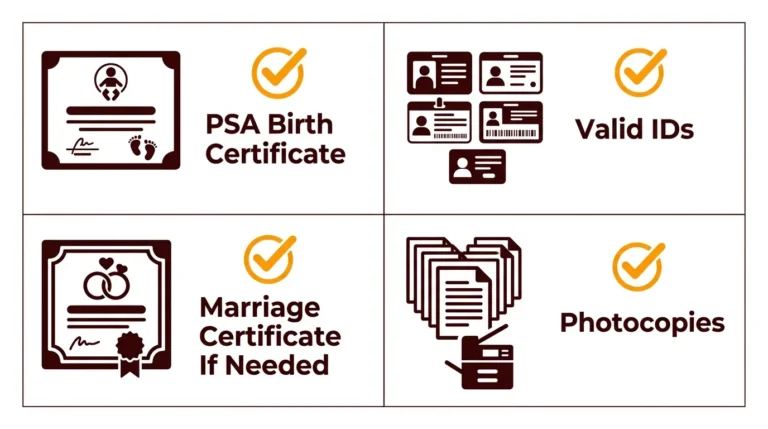
If your appointment date is approaching and email response times are slow, visit the nearest main or regional NBI Clearance Center. Proceed to the IT Management Services (ITMS) / Technical Help Desk, present your valid government IDs, and request a technical officer to reset your registered details in the central database.
Successful Login and Appointment Booking
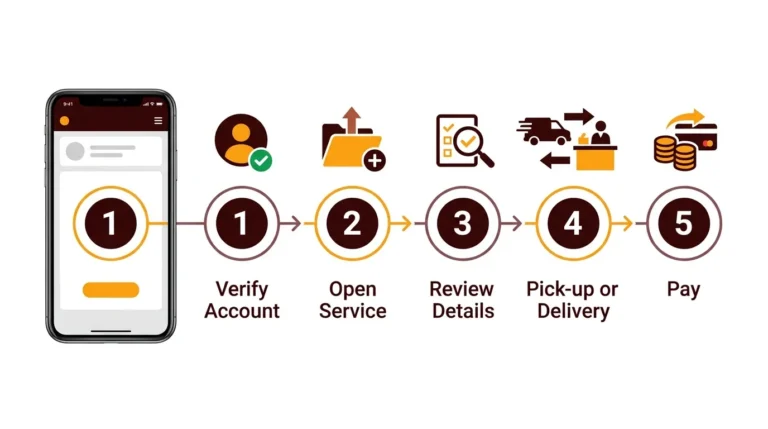
Once you have resolved your login error, follow this sequence to book your clearance appointment without re-triggering session errors:
Best Practices to Prevent Future Login Issues
FAQs
Conclusion
Technical login issues with the NBI Clearance portal can be resolved by systematically checking user credentials, clearing browser conflicts, and understanding server traffic schedules. By following the targeted troubleshooting steps above, you can regain control of your account, secure your appointment schedule, and obtain your official clearance on time.